Comparing Hex vs. Sigma
Choosing between Hex and Sigma? Leading companies choose Hex for AI analytics, to give business users and data teams one place for trusted answers on data.
Why companies choose Hex over Sigma
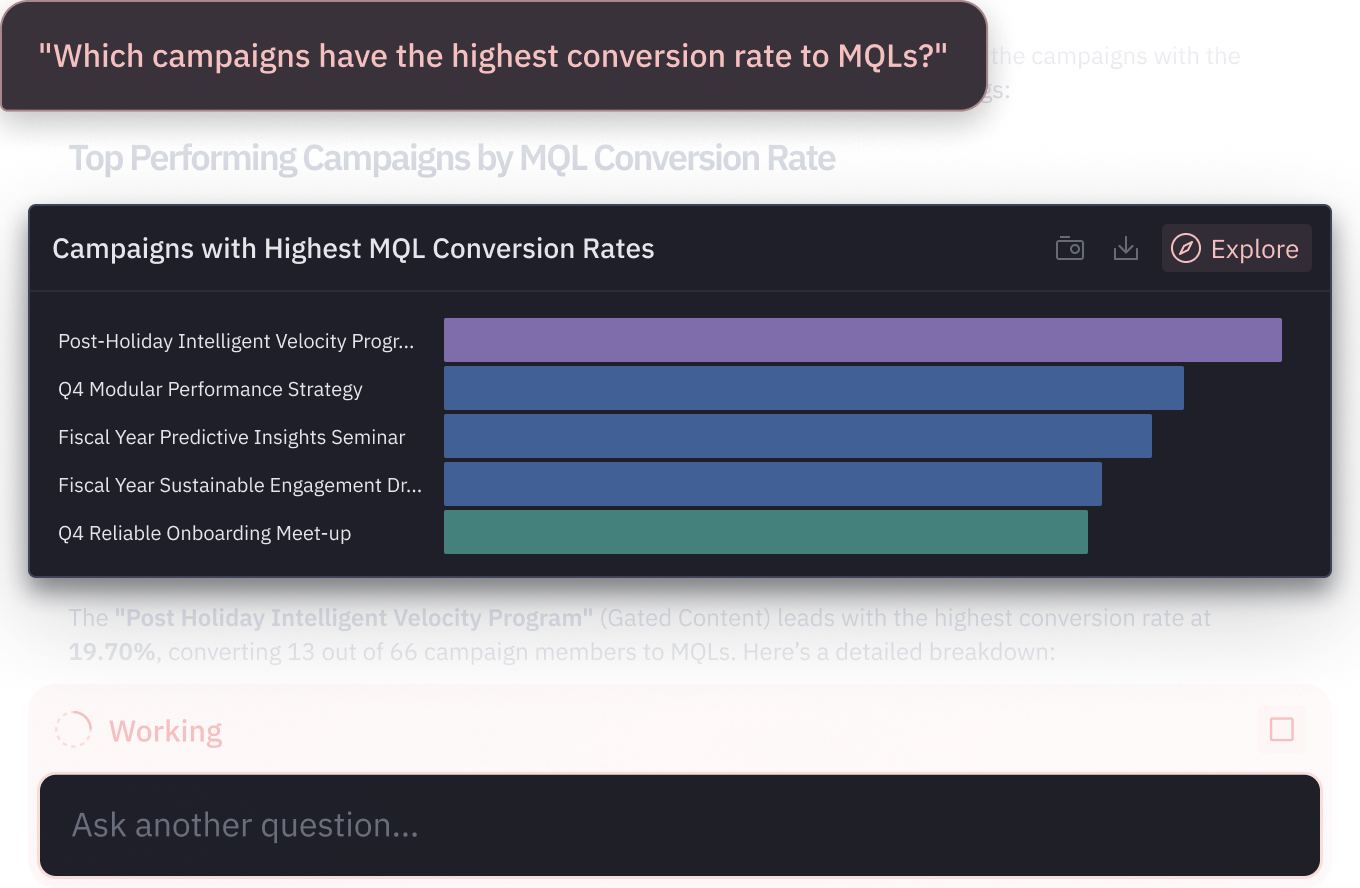
A first-class AI analytics platform
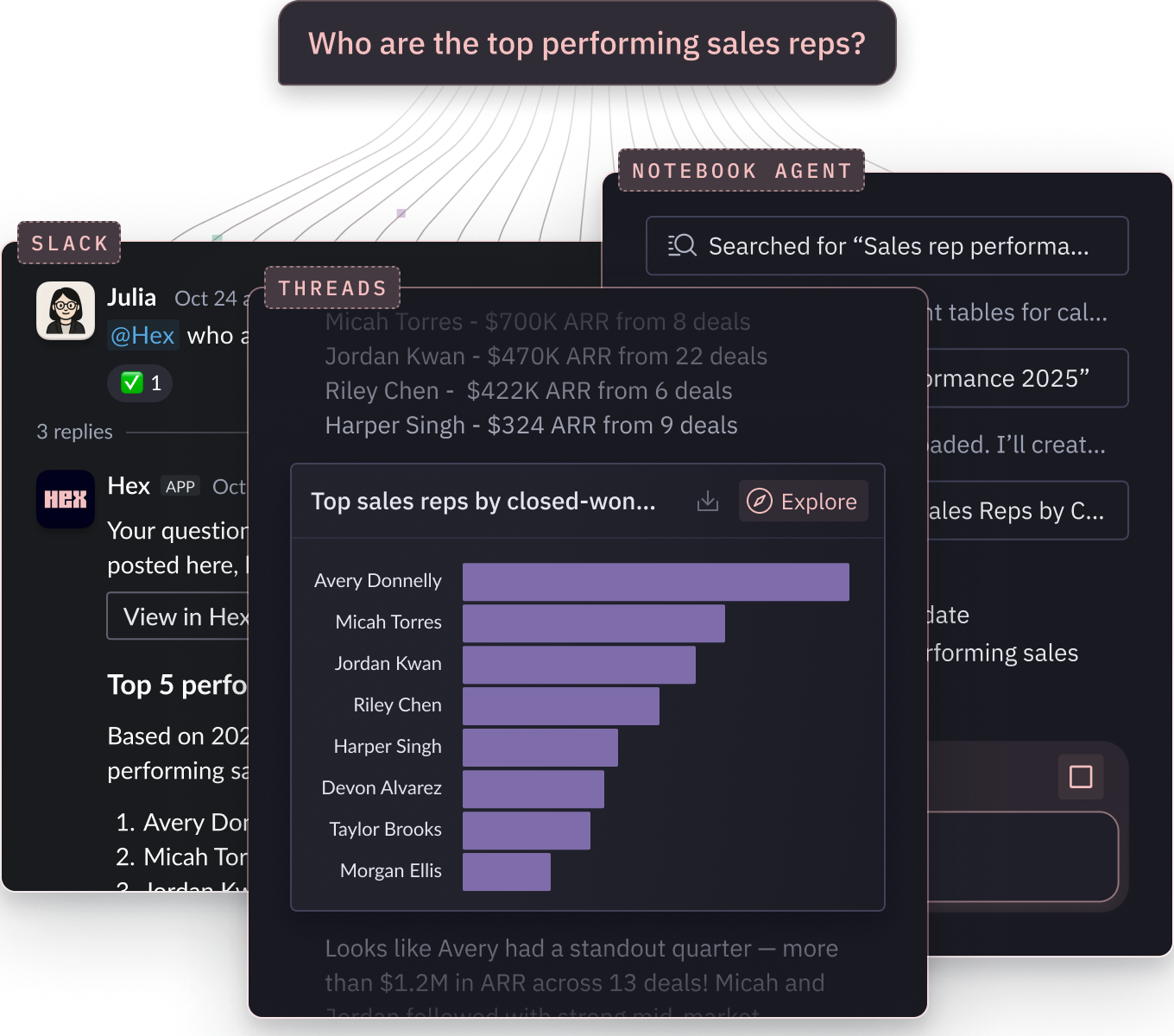
AI in Hex is focused on one thing: help everyone answer data questions with plain-language. Whether you're in Threads, a data app, a notebook, Hex's agents are built to reason deeply and deliver rich, trusted answers.
AI in Sigma is focused on operational workflows: taking actions, writing to the warehouse, and triggering external systems. Useful for that, but limited for simply answering questions with data.
| Features | Hex | Sigma |
|---|---|---|
Conversational AI Plain-language Q&A with agentic reasoning | Hex Threads can reason across questions, plan and run multiple queries, and join data from multiple tables and sources as needed. | Sigma Sigma Assistant generates one query at a time and waits for you to refine. No agentic exploration, and joining datasets requires pre-built models. |
Agentic code authoring AI for writing, debugging, and iterating on code | Hex Notebook Agent generates, debugs, and iterates on SQL and Python across multi-step logic. | Sigma No agentic tooling for code generation or analysis building. SQL editing is manual. |
AI for dashboards and apps AI for asking questions about existing artifacts | Hex @-mention published apps, dashboards, or notebooks to bring them into a Thread, or chat directly on any asset. | Sigma Limited one-shot "explain this chart" summaries. No multi-turn conversation, no agentic exploration, no @-mentioning across assets. |
AI modeling AI-assisted modeling for curated, reusable metrics | Hex AI modeling agent helps build and edit semantic models that can be used across notebooks, apps, and Threads. | Sigma Modeling must be authored manually; no AI support for creation or editing. |
Tools to manage and improve AI accuracy
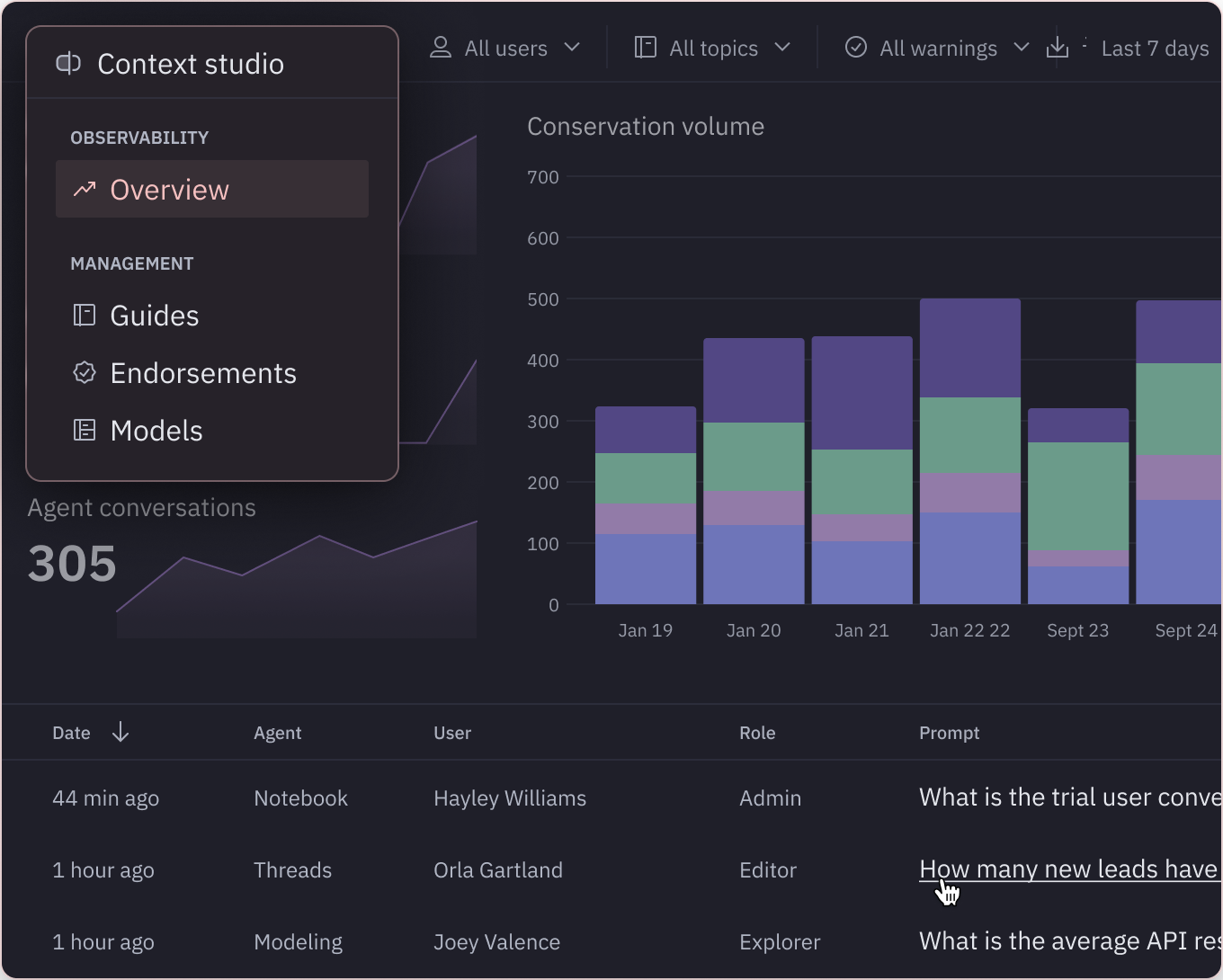
In Hex, AI gets better with every interaction. Context Studio surfaces gaps and suggests context fixes, while every published app becomes reference-able context for AI.
Sigma has limited tooling for managing or improving context, and no means for existing artifacts to inform future answers.
| Features | Hex | Sigma |
|---|---|---|
AI observability tooling Visibility into how AI is being used | Hex Context Studio provides visibility into AI interactions across all surfaces, detailed summaries, and usage patterns across your team. | Sigma Basic usage logs available. But overall, limited visibility into what AI is doing. |
Context improvement tooling Automated detection and recommendations | Hex Context Studio flags missing context, identifies where AI is falling short, and recommends specific improvements. | Sigma No means of surfacing missing context or recommendations for how to improve. |
Compounding context Existing dashboards and apps inform future answers | Hex Published apps and dashboards are reference-able context. Agents pull from them automatically, or users @-mention them directly. | Sigma No mechanism to reuse prior analyses or published dashboards as context for new questions. |
Every workflow in one place
Hex is a single workspace where anyone can go from a quick question to a deep analysis without changing tools. No exports, no rebuilding logic. Business users and data teams can collaborate on the same work, in the same place.
Sigma's spreadsheet interface is capable for surface-level questions. But going deeper requires switching tools and fragmenting answers.
| Features | Hex | Sigma |
|---|---|---|
No-code exploration Spreadsheets, pivots, drag-and-drop | Hex Spreadsheet views, pivot tables, and drag-and-drop chart builders. | Sigma Spreadsheet-style workbook with drag-and-drop, field pickers, and chart editor. |
Data apps and dashboards Interactive artifacts for sharing answers | Hex Data apps include inputs, parameters, and pages that combine reporting, exploration, and live analysis in one artifact. | Sigma Dashboards, AI Apps, and workbook controls (sliders, date pickers, parameters) for interactive analysis. |
SQL + Python exploration Multi-language analysis with seamless switching | Hex Notebooks mix SQL, Python, and no-code cells interchangeably, keeping analyses clear, connected, and reproducible. | Sigma Python is a warehouse-bound workbook element. No canvas for multi-step analysis or seamless switching between SQL, Python, and no-code. |
Unify the full cycle of data work with Hex.
Leave disconnected workflows behind.
Compounding accuracy
- Deep analysis
Explore the new, novel, and gnarly
- Trusted context
Semantic models, reusable components, and interactive data apps.
- Conversational self-serve
Start with a prompt, get to a first draft in minutes, and iterate with full control.
Hear from data teams that chose Hex
Learn how the best companies in the world answer more questions with data using Hex.


FAQ
- Answer data questions in natural language with agents that reason across multiple queries, join data from any source, and write or debug SQL and Python.
- Improve AI accuracy over time with Context Studio, which automatically surfaces gaps and suggests fixes, so the more you use Hex, the more accurate and capable it becomes.
- Build data apps with live SQL and Python so stakeholders can explore forecasts, simulations, or custom logic in the same place where data teams build and iterate.
Hex is built to help data teams and non-technical users find more answers from data, faster. Non-technical users have quick, approachable ways to engage with data, interacting with curated data apps, exploring with no-code tools (spreadsheets, pivot tables, drag & drop) or asking questions in plain language through Threads.
Meanwhile, data teams have the full depth of SQL, Python, and AI for technical work. Because everyone works in the same workspace, stakeholders get answers faster and data teams don’t have to recreate analysis across multiple tools.
BI dashboards are built to show what happened—fixed KPIs and standard cuts of the data. Hex is built to answer how it happened, why it happened, and what if it changes. With data-team-first workflows in a notebook that supports SQL, Python, and no-code, teams can move quickly from simple KPI lookups to deep, iterative analysis, without bouncing between tools.
Business questions come in all shapes and forms. Sometimes it’s a simple KPI trend, other times it’s “why is this happening?” or “what can we expect next?”, which requires deeper analysis. Splitting BI and technical analysis across different tools creates friction, duplicate effort, and inconsistent answers. Hex unifies it all in one place so the workflow stays connected.
Yes. Hex supports traditional dashboards, but also goes further, letting teams build interactive data apps, parameterized views, and even workflows with predictive models. That flexibility means you can cover executive reporting and deeper analysis in the same place, instead of maintaining separate tools.
Yes. Hex lets users self-serve insights with natural language Q&A, interactive charts, pivot tables, spreadsheet-style views, and simple formula-based calculations—all without writing SQL or Python.
Hex takes an interoperable approach to semantic models, giving you the flexibility to build directly in Hex or sync from other sources. Building in Hex lets you define and edit models right where you already work with data—with autocomplete, inline validation, and AI-assisted code generation in the modeling workbench.
Alternatively, you can sync existing semantic models from dbt, Snowflake, or Cube. Either way, your semantic models live alongside notebooks, self-serve, and agents, ensuring governed, reusable logic powers every workflow.
Anyone can sign up for a free 14-day trial of Hex's Team plan. If you'll require more time to evaluate Hex or are curious about our Enterprise plan, please reach out and we'll get you set up!
Can't find your answer here? Get in touch.